You’ve decided to upgrade a light switch to one that turns off automatically when a room empties — a motion sensor switch, which uses a passive infrared (PIR) detector to sense body heat and movement, then switches the light on or off without anyone touching the wall. Easy project in a newer home. In an older home — think anything built before the mid-1990s — you pull the old switch out and discover a tangle of wires that doesn’t match any diagram in the box. No white neutral wire. Possibly no bare copper ground wire either. That’s where most returns happen, and where this guide picks up. By the end, you’ll know exactly how to read your wiring before ordering, which switches are designed for your situation, and where the real tradeoffs live.
Step Zero: Identify What’s Actually in Your Box Before You Order
This is where the money gets lost. Reviewers across multiple brands — RAYZEEK, ELEGRP, TOPGREENER, and Leviton — report the same pattern: they assumed their box had a neutral or a ground, ordered accordingly, and had to return. A few minutes with a non-contact voltage tester (with the breaker off) prevents all of that.
What you’re looking for:
- Hot wire: Usually black, carries 120 V to the switch. Always present.
- Load wire: Usually red or a second black wire, carries switched power to the fixture.
- Neutral wire: White, returns current to the panel. In a switch loop wired before NEC 2011 required neutrals at switch boxes, this wire may be absent entirely, or it may be present but wrapped in black tape (re-coded as a hot). Do not assume white means neutral.
- Ground wire: Bare copper or green-insulated. In homes built before about 1965, and in many homes built through the 1980s using older conduit practices, the ground may be absent, or it may exist in the conduit but not be terminated with a pigtail inside the box.
How to check for neutral:
With the breaker on and the old switch still in place, use a multimeter set to AC voltage. Measure between each white wire and a known ground (the metal box if it’s grounded, or the bare copper if present). A true neutral reads close to 0 V relative to ground and close to 120 V relative to the hot. If your white wire reads 120 V to ground, it’s a re-coded hot in a switch loop — not a neutral. The International Association of Certified Home Inspectors (InterNACHI), in their educational resource “Aluminum and Older Wiring Systems,” provides a useful primer on switch-loop topology and older residential wiring conventions.
The short version: If you have only two wires in the box (one black, one white-coded-black), you have a switch loop with no neutral. If you have three or four wires and one of them is consistently white and reads near 0 V to ground, you have a neutral.
The No-Neutral Problem: How These Switches Stay Powered
Standard smart switches and many occupancy sensor switches need a neutral wire to complete a low-voltage circuit that keeps the switch’s electronics powered when the load (the light) is off. Without a neutral, they have no return path for that standing current.
No-neutral switches solve this one of two ways:
-
Parasitic power draw through the load: The switch bleeds a tiny amount of current through the bulb even when “off.” This works adequately with incandescent bulbs (which barely notice a few milliamps) but can cause flicker, buzz, or ghost illumination with LED bulbs, because modern LEDs respond to very small currents. Minimum load requirements — typically 25–40 W — exist for this reason.
-
Capacitive coupling: Some designs use more sophisticated internal circuitry to harvest enough energy from the AC line without a dedicated neutral return. Still subject to minimum load constraints, but generally better LED compatibility.
Typical no-neutral switch constraints at a glance:
| Constraint | Typical Range |
|---|---|
| Minimum load (LED) | 25–40 W |
| Maximum load | 500–600 W (incandescent) / 150–300 W (LED) |
| Ground requirement | Varies by model |
| PIR detection angle | 110°–180° |
| Timer range | 1 min – 30 min adjustable |
The No-Ground Problem: A Separate Issue, Often Conflated
The ground wire is a safety conductor — it provides a fault current return path and bonds the switch’s metal parts to earth. It is not required for the switch to function electrically. However, UL listing for most switches requires a ground connection, which means switches designed for grounded boxes will have a green screw or green pigtail that you’re expected to connect.
In an ungrounded box, you have a few legitimate options:
- Use a switch rated for no-ground installation. TOPGREENER’s TSOS5 (per the TOPGREENER “TSOS5 Occupancy Sensor Switch Installation Guide,” TOPGREENER.com, 2023) and RAYZEEK’s RZ-WS10 are both documented by owners specifically because they do not require a ground wire connection to complete installation.
- Install a GFCI outlet upstream and mark the switch “No Equipment Ground.” This is a National Electrical Code-compliant approach for receptacles; applicability to switch-only boxes is limited and warrants consultation with a licensed electrician.
- Run a ground wire back to the panel or to a grounded metal box. The correct long-term solution; not always practical for a single switch swap.
Per National Electrical Code (NEC) 2023, Article 404 — Switches (National Fire Protection Association), switches must be installed in accordance with their UL listing, which includes grounding requirements. Using a listed device without meeting its grounding requirement may void the listing and creates liability if a fault occurs downstream. Use a switch explicitly rated for ungrounded installation, or run a proper ground.
Product Comparison: Which Switch Fits Your Wiring
The four products below cover the realistic wiring scenarios in pre-1995 construction. Each H3 section maps to a specific combination of what you have (or don’t have) in your box.
RAYZEEK RZ-WS10 — No Neutral, No Ground Required
RAYZEEK
$17.99
In stock on Amazon
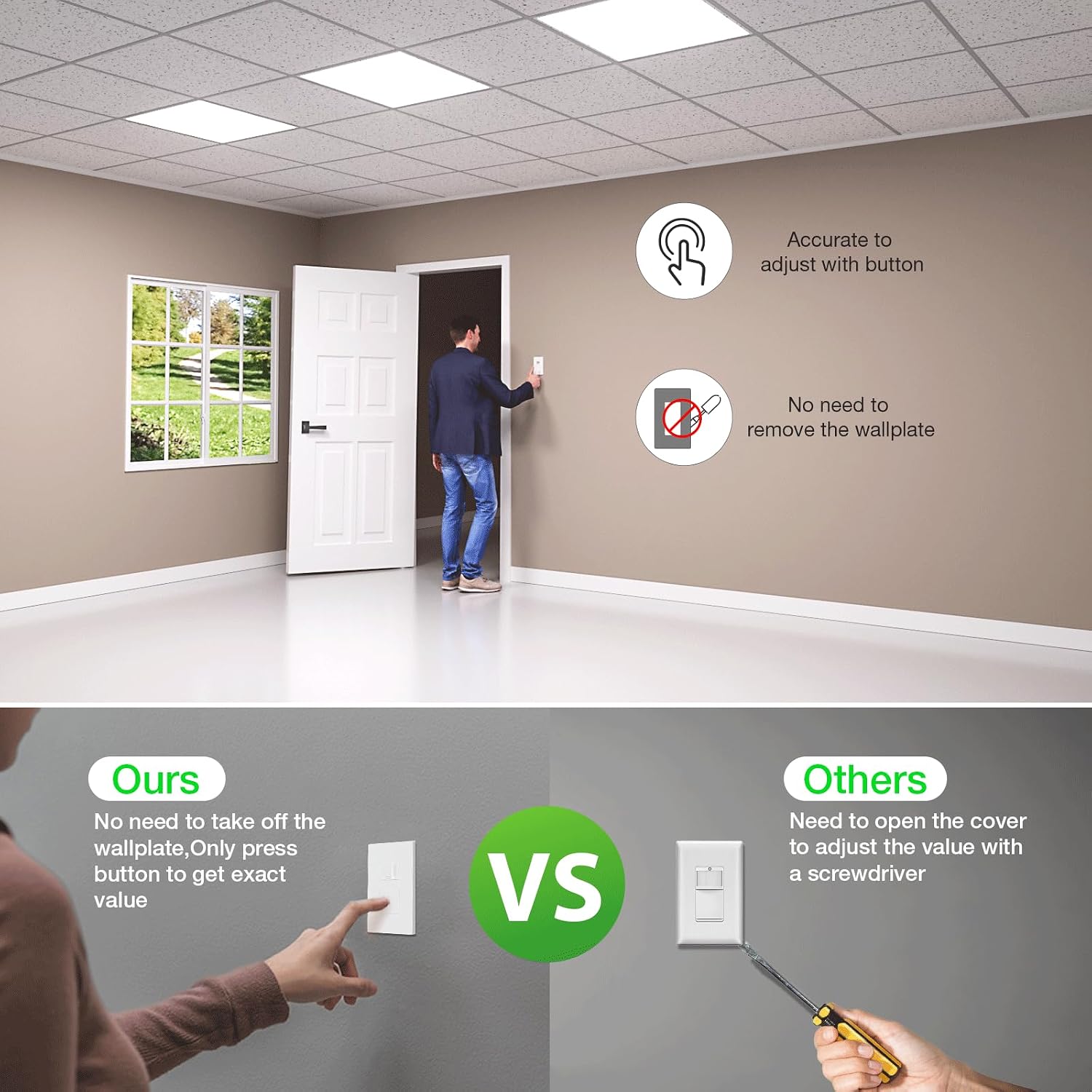
Check price on AmazonOwners in homes built in the early 1990s consistently call out the RAYZEEK RZ-WS10 as the clearest solution when the box is definitively missing both neutral and ground. Reviewers describe discovering a floating or absent ground wire and finding the RAYZEEK to be a “great option for older homes” as a result of that discovery. PIR coverage is rated at 180° with a 1–8 minute adjustable timer. LED compatibility is acceptable for bulbs at or above the 40 W equivalent threshold; below that, occasional flicker is reported.
Best for: Ungrounded, no-neutral boxes in homes built roughly 1965–1995. Closets, hallways, utility rooms. Not for: 3-way circuits (single-pole design only), very low-wattage LED loads under 40 W equivalent.
RAYZEEK
$17.99
In stock on Amazon
Check price on AmazonTOPGREENER TSOS5 — No Ground Required, Best False-Trigger Rejection
Lutron
$39.98
In stock on Amazon
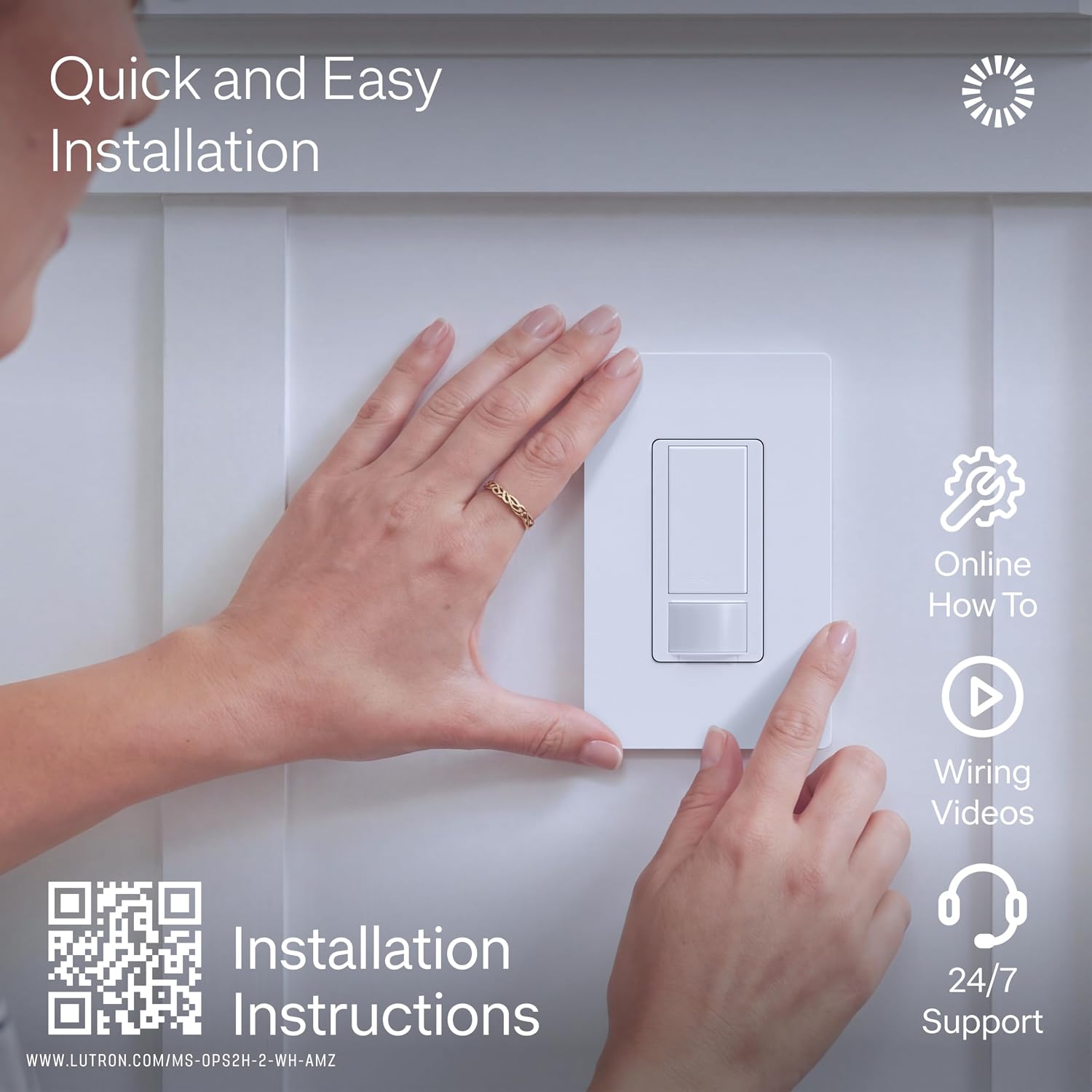
Check price on AmazonPer the TOPGREENER “TSOS5 Occupancy Sensor Switch Installation Guide” (TOPGREENER.com, 2023), the TSOS5 is designed for installation without a ground wire. Owners specifically note two advantages: no ground required, and a sensitivity adjustment dial that addresses false triggers from nearby HVAC vents, fans, and registers. At least one verified reviewer switched away from a Leviton occupancy sensor to the TSOS5 specifically because an air conditioning unit near the switch caused persistent false triggering — the adjustable sensitivity resolved it.
The TSOS5 supports both vacancy mode (manual on, auto off) and occupancy mode (auto on, auto off), which adds flexibility for bedrooms where you don’t want lights snapping on from minor movement during sleep.
Best for: Rooms with HVAC vents or fans near the switch location; no-ground boxes where false triggers are a known problem. Not for: 3-way circuits without confirmed traveler wires.
Lutron
$39.98
In stock on Amazon
Check price on AmazonLeviton DOS02-DKW — Grounded Boxes, Clearest Install Instructions in the Category
Lutron
$39.98
In stock on Amazon
Check price on AmazonPer Leviton Manufacturing’s “DOS02-DKW Decora Occupancy Sensor Installation Instructions” (Leviton.com, 2024), this unit is rated for 120 VAC single-pole and 3-way use (with a compatible companion switch). Reviewers consistently call out Leviton’s installation documentation as the clearest in the category — wiring diagrams are explicit and leave little room for misinterpretation. The adjustable timer runs from 1 to 15 minutes and is accessible post-installation without opening the box.
This is a grounded-box unit. Do not order it for an ungrounded situation. It earns its place in closets and utility rooms where a ground is present and you want reliable auto-off behavior backed by a well-documented install process.
Best for: Closets, utility rooms, laundry rooms with grounded wiring and either neutral or no-neutral configurations. Not for: Ungrounded boxes.
Lutron
$39.98
In stock on Amazon
Check price on AmazonLutron Maestro MS-OPS5M — Neutral Required, Premium Reliability for Living Spaces
TOPGREENER
$59.29
In stock on Amazon
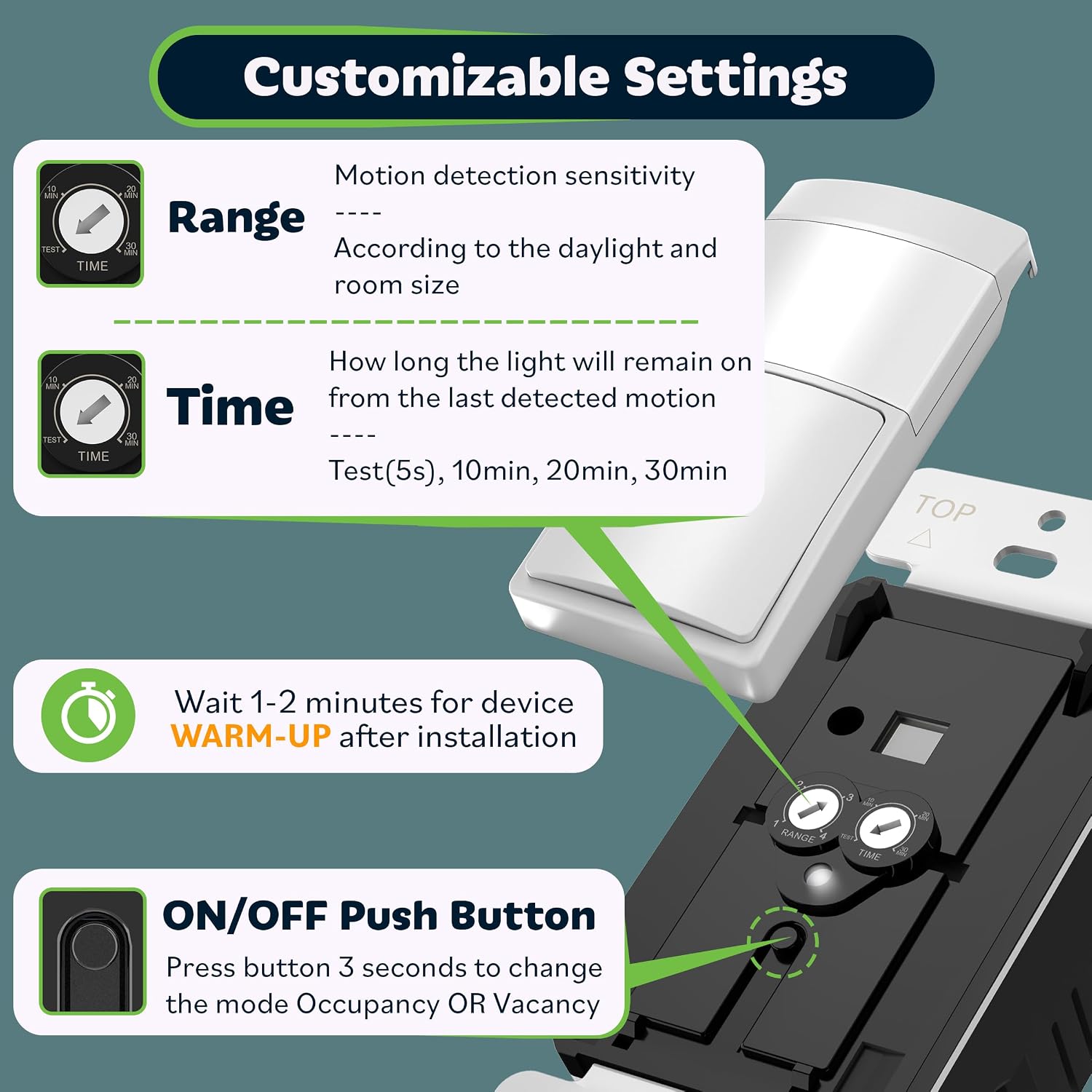
Check price on AmazonPer Lutron Electronics’ “Maestro Occupancy Sensor MS-OPS5M Specification Sheet” (Lutron.com, 2024), the Maestro uses Lutron’s Adaptive Technology to reduce false-on events and is rated for single-pole and multi-location installations. Owners report consistent auto-off behavior across multi-year deployments. Multiple reviewers note that the price premium is easier to justify during holiday sales periods.
The Maestro requires a neutral wire. It is not a no-neutral option. Where it earns its place is in high-occupancy living areas — main bathrooms, home offices, living rooms — where false triggers are disruptive and long-term reliability justifies the upfront cost. If your older home has been partially rewired or if the specific switch box you’re targeting happens to have a neutral, this is the top-of-category choice.
Best for: Living rooms, main bathrooms, home offices where neutral is present and reliability over time matters more than initial cost. Not for: No-neutral boxes; budget-constrained installs.
TOPGREENER
$59.29
In stock on Amazon
Check price on AmazonFrequently Asked Questions
1. How do I tell if my switch box has a neutral wire before I buy?
Turn the breaker off, pull the old switch out carefully, and look for a white wire that is not connected to the switch terminals — neutrals in a properly wired multi-wire circuit are typically bundled together with a wire nut, not landed on the switch itself. With the breaker back on and a multimeter, confirm: a true neutral reads approximately 0 V to ground and approximately 120 V to hot. A white wire that reads 120 V to ground is a re-coded hot in a switch loop, not a neutral. The International Association of Certified Home Inspectors (InterNACHI), in their educational resource “Aluminum and Older Wiring Systems” (InterNACHI.org), covers switch loop topology in plain language for homeowners.
2. Can I install a no-neutral switch in a box that has a neutral wire?
Yes, and it works fine. No-neutral switches simply don’t use the neutral — they power themselves through the load. If a neutral is present in the box, leave it capped in the existing wire nut bundle. You don’t lose functionality by using a no-neutral switch in a box that happens to have one.
3. What happens if I install a switch that requires a ground in an ungrounded box?
Electrically, the switch will likely function. The safety and code risk is real: without a ground bond, a wiring fault inside the switch has no low-impedance return path, meaning fault current could flow through a person rather than tripping the breaker. National Electrical Code (NEC) 2023, Article 404 (National Fire Protection Association) requires switches to be installed per their UL listing, which includes grounding requirements. Use a switch explicitly rated for ungrounded installation, or run a proper ground conductor.
4. Why does my new motion sensor switch buzz or flicker with LED bulbs?
No-neutral switches power themselves by bleeding a small current through the load even when “off.” Most LED drivers are sensitive to this parasitic current and respond with visible flicker or audible buzz. Solutions: use a higher-wattage LED bulb above the switch’s minimum load spec, use a bulb marketed for compatibility with occupancy sensors or dimmers, or add a small resistive load in parallel. If the buzz is from the switch body itself rather than the bulb, it’s typically the internal inductor reacting to the LED’s switching frequency — owner reviews on major distributor sites are the most practical filter for specific bulb-switch pairing behavior.
5. What is the minimum load these no-neutral switches need?
Most no-neutral occupancy switches specify a minimum load of 25–40 W to maintain stable self-power. Below that threshold, the parasitic current draw is insufficient to keep the switch’s internal electronics stable, which can manifest as random on/off cycling, failure to turn off, or the flicker described above. If you’re controlling a single very small LED bulb, consider a wired-in occupancy sensor mounted at the fixture instead of at the switch box.
6. Can any of these switches work on a 3-way circuit?
Standard 3-way installations require traveler wires between the two switch locations. The Leviton DOS02-DKW and Lutron Maestro MS-OPS5M both have documented 3-way configurations using compatible companion switches, and both require traveler wires to be present — per their respective published installation documentation. The RAYZEEK RZ-WS10 and TOPGREENER TSOS5 are primarily single-pole designs; using either in a 3-way circuit without traveler wires is an unsupported configuration. If your circuit is 3-way, verify 3-way compatibility explicitly in the manufacturer’s installation guide before ordering, and confirm the required wiring exists in both boxes.
The decision rule: No neutral and no ground — RAYZEEK RZ-WS10 or TOPGREENER TSOS5. Ground present but no neutral — both still apply. Neutral and ground both present — full list is available; closets and utility rooms go Leviton DOS02-DKW, living spaces where budget allows go Lutron Maestro MS-OPS5M, everything else goes TOPGREENER or RAYZEEK based on price and false-trigger sensitivity needs. Check your box before you order. Every return in this category traces back to skipping that step.